How to join your Atlanta Pro Community

DustiO
Administrator, Moderator Posts: 2,647 admin
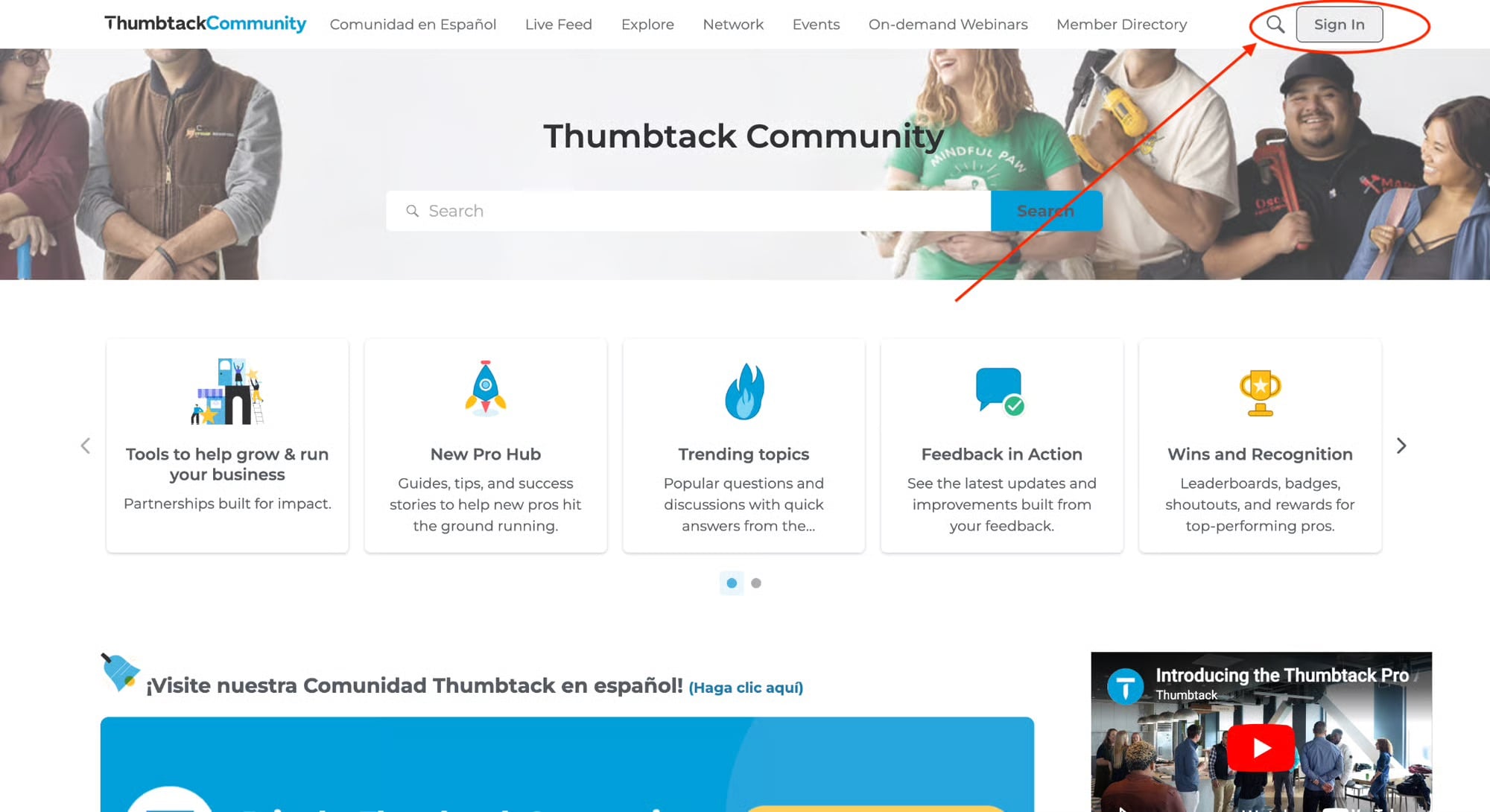
1. Sign in to the Thumbtack Community
- Click Sign In in the upper-right corner.
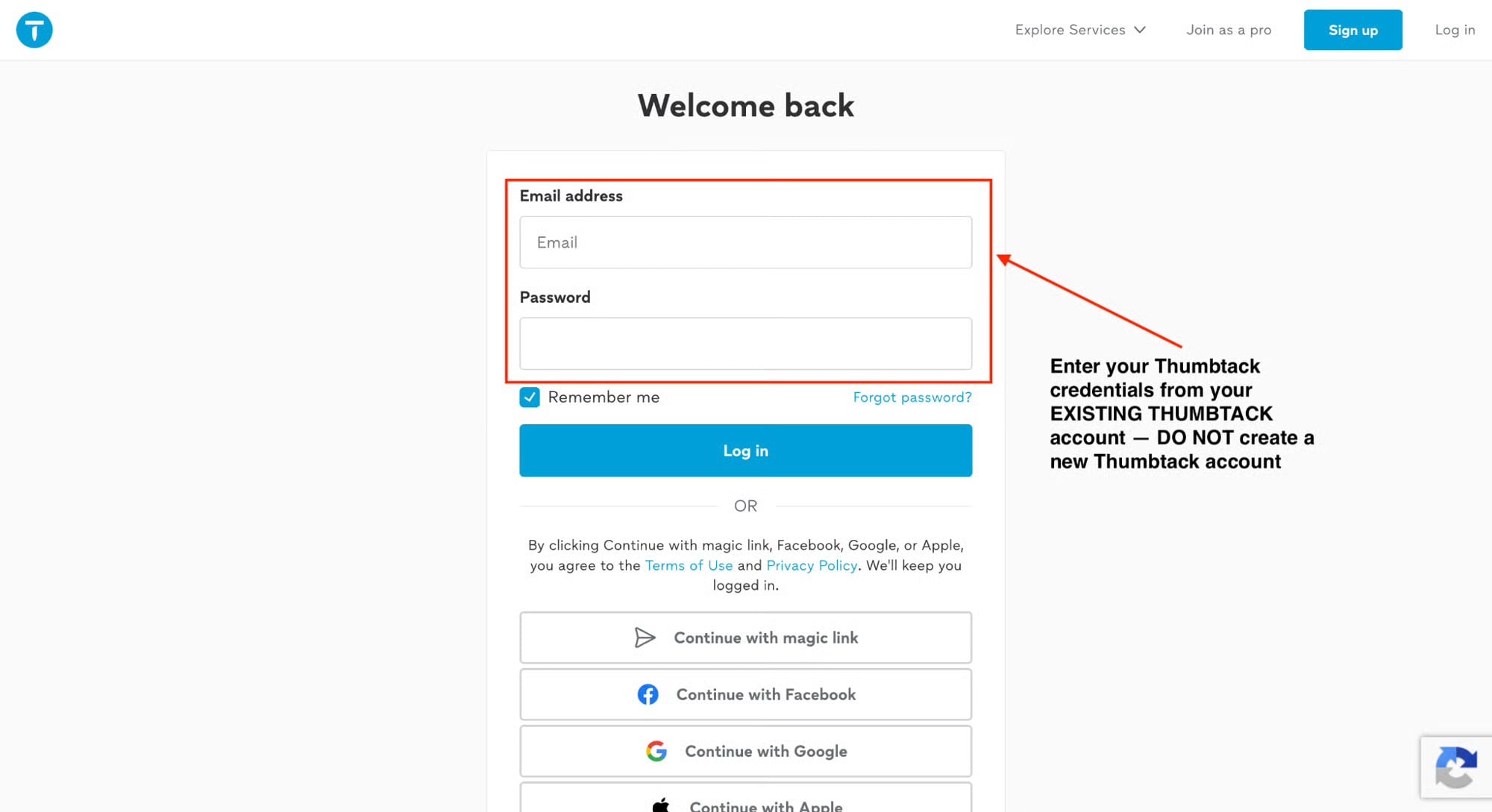
2. Log in with your existing Thumbtack account
- Enter your existing Thumbtack email address and password.
- Click Log in.
Important: Use the same email address and password you use to sign in to your existing Thumbtack account. Do not create a new Thumbtack account to access the Community.
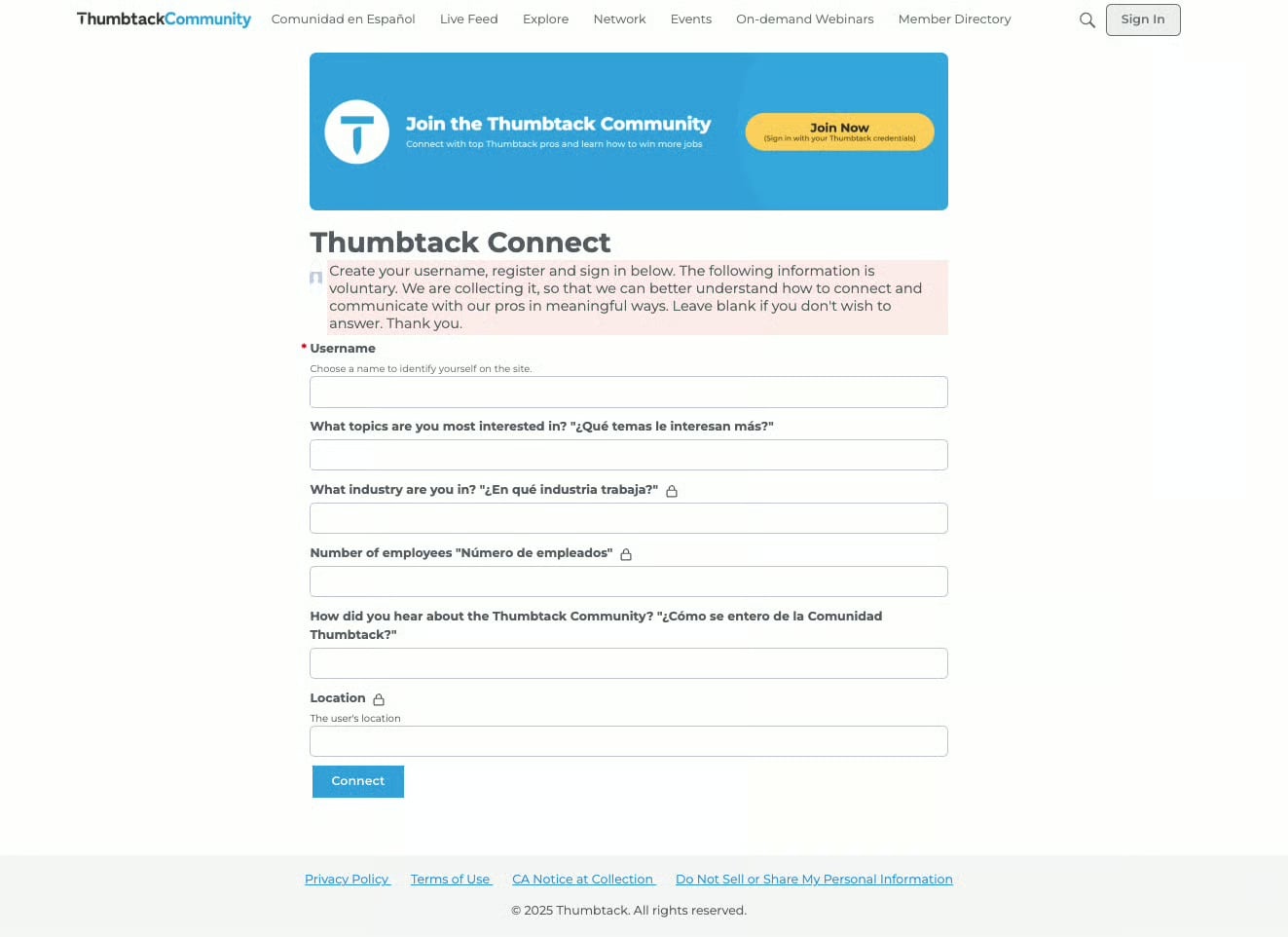
3. Complete your Community profile
- Choose a username.
- Answer a few short questions about your business.
0
Resources
- All Categories
- 1.5K Atlanta Pro Community
- 93 Pro AI Hub
- 975 New Pro Hub
- 5 PAB & PPC corner
- 539 Trending topics
- 220 Feedback in Action
- 89 Wins and Recognition
- 21 Tools to help grow & run your business
- Pro Mentorship
- 274 Comunidad en Español
- 3 Featured Events
- 506 On-Demand Webinars
- 207 Network and Collaborate
- 361 Thumbtack Pro Rewards
- 1.9K Business Resources
- 280 Inspiration
- 168 Business Resilience
- 340 Thumbtack Resources
- 666 Community News
Welcome! Check out our Community Code of Conduct. (review here)